
Kiosk Software Buyers Guide: How to Choose the Right Solution
Choose the right interactive kiosk software for your store. Learn the 5 key criteria, key questions to ask providers, and how to run a successful pilot.
A kiosk that customers ignore is worse than no kiosk at all. It ties up budget, frustrates staff, and leaves a visible reminder on the shop floor that something didn't go to plan. Most underperforming kiosk deployments aren't a hardware problem. The screen, terminal, or placement is rarely the source of the problem. It almost always comes down to the interactive software, and more specifically, to a software decision that was made too quickly, with too little information.
That's what this guide is here to fix.
In short:Choosing the right kiosk software starts with knowing your use case. Prioritise multi-touch performance, content management, hardware compatibility, cloud monitoring and analytics. Ask providers the hard questions before committing. And start with a pilot, not a full rollout.
Why Interactive Kiosk Solutions Are No Longer Optional for Retailers
Retail is under pressure from several directions at once. Staff are harder to find and more expensive to keep. Online competitors offer instant product information and personalized recommendations that physical stores struggle to match. And customers, having grown accustomed to the speed and convenience, are bringing those same expectations through the door.
The numbers reflect how retailers are responding. The global self-service kiosk market is estimated to reach USD 27.96 billion in 2026, growing to USD 37.8 billion by 2030[1]. At EuroShop 2026, the world's leading retail trade fair, self-service kiosk solutions dominated the show floor in a way that would have been unthinkable three years earlier.
The shift goes deeper than operational efficiency. According to PwC, 73% of consumers cite customer experience as an important factor in their purchasing decisions, and one in three says they will walk away from a brand they love after just one bad experience[2].
Interactive kiosk solutions are increasingly how forward-thinking retailers bridge the gap between what customers expect and what a physical store, without the right technology in place, can actually deliver. The question for most retailers is no longer whether to invest in interactive kiosk technology — it is how to do it in a way that actually holds up in practice. That starts with the software.
What You're Trying to Solve
You need to establish your kiosk requirements before starting software platform evaluations. Most retailers fail to complete this obvious step, which causes them to select software that only partially meets their needs instead of choosing a system that was specifically designed for their requirements.
According to NCR Voyix, 77% of shoppers now prefer self-service touch solutions for the speed and autonomy they offer[3]. That shift makes it even more important to match the software to the specific job the kiosk is meant to do. The use case shapes everything: the software features you need, the hardware it runs on, and what a successful outcome even looks like.
The most common retail use cases are:
Get this right, and the rest of the software decision becomes much easier.
The 5 Things to Look for in Kiosk Software
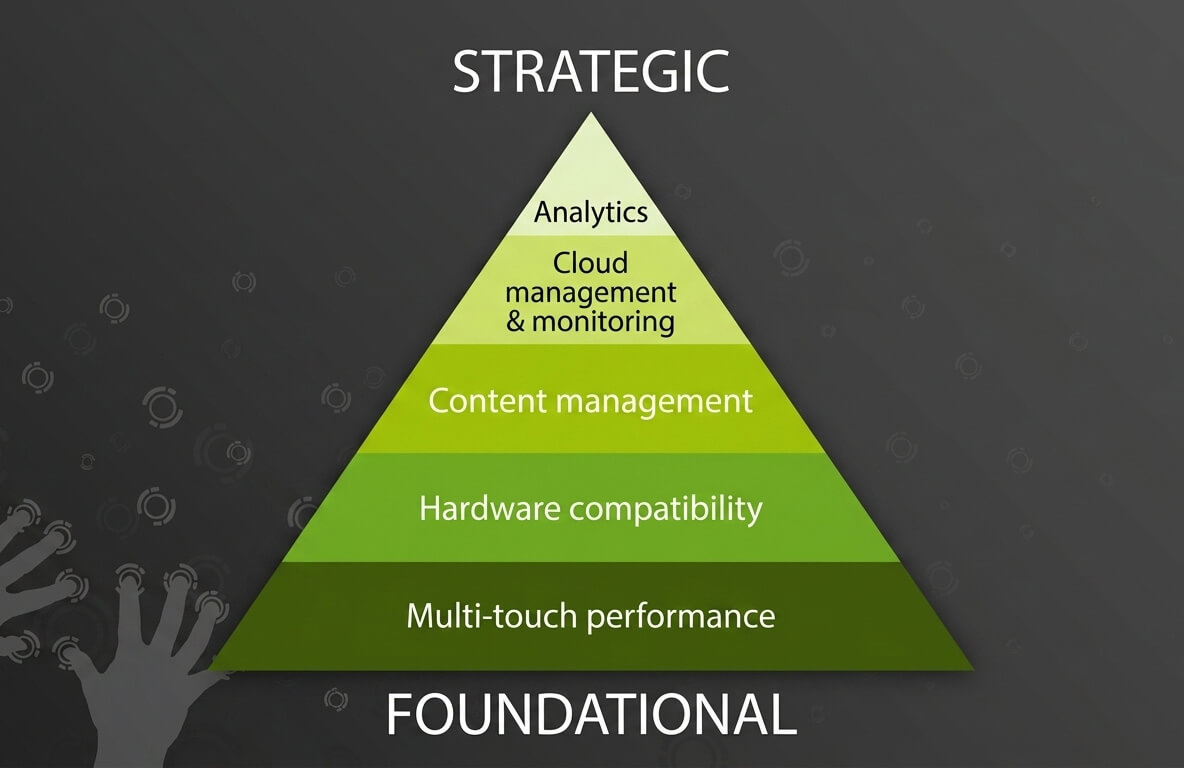
Not every kiosk software platform is built to the same standard. These are the five criteria that separate software worth investing in from software that will create more problems than it solves.
1. Multi-Touch Performance

A kiosk on a busy shop floor gets put through its paces. Multiple people tapping at once, fast swipes, pinch gestures, impatient fingers during the Saturday afternoon rush. Most web-based software was never built with any of that in mind.
The problem is not whether the software supports touch. It is whether it holds up when things get hectic. Lag, missed inputs, and screens freezing mid-transaction are not hardware issues. They are a sign that the software is out of its depth.
2. Content Management
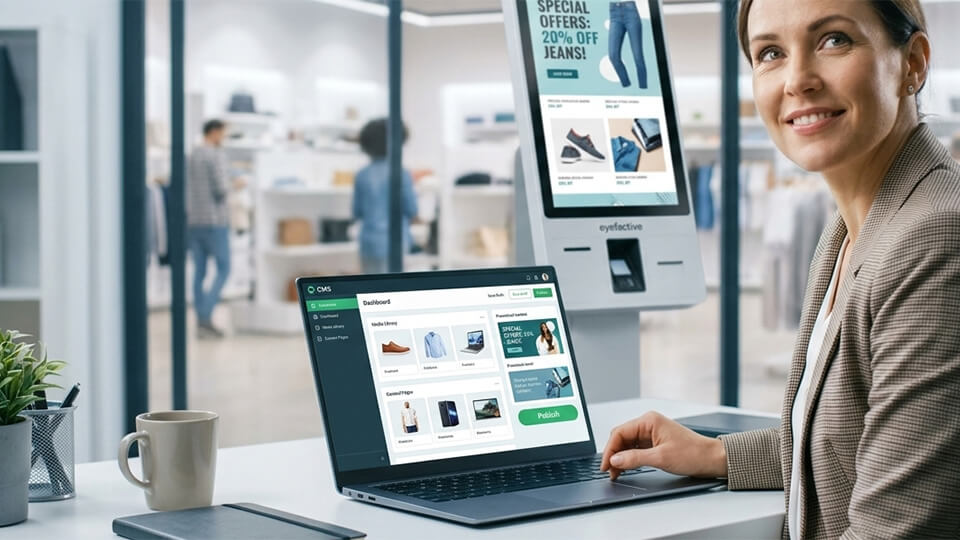
Think about who actually manages your store day to day. It is not a developer. It is a store manager, an ops coordinator, maybe a marketing exec. These are the people who need to swap out a promotion, update a price, or refresh a product listing on a Tuesday morning without calling anyone for help.
If that process requires a support ticket, it will not happen fast enough. And a kiosk running last week's offer or yesterday's pricing does not just look bad — it actively undermines the experience it was supposed to create.
3. Hardware Compatibility
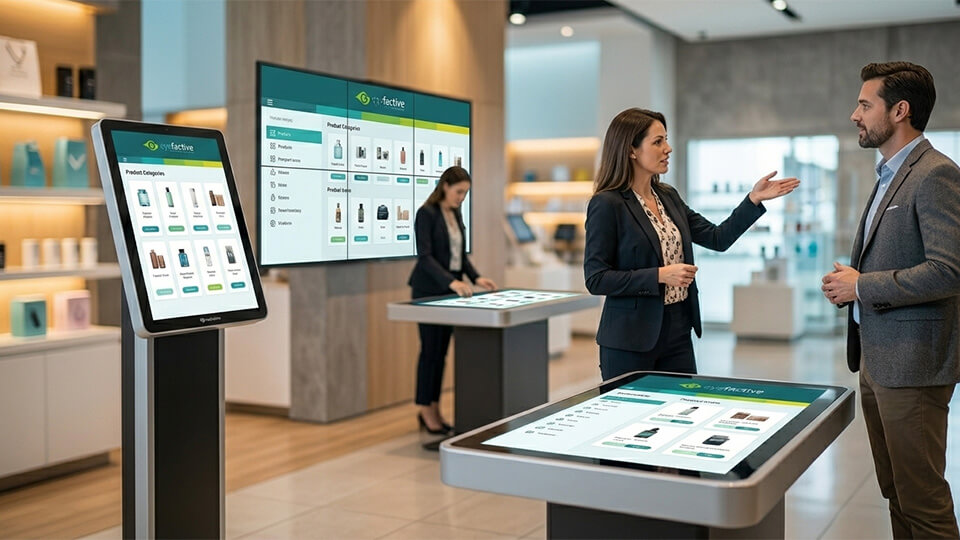
Your store today probably looks different from your store three years ago. And it will likely look different again in another three. A kiosk terminal made sense for one location, but now there is talk of a video wall for the flagship and an interactive table for the new concept store. The software needs to keep up with that, not hold it back.
4. Cloud Management and Monitoring
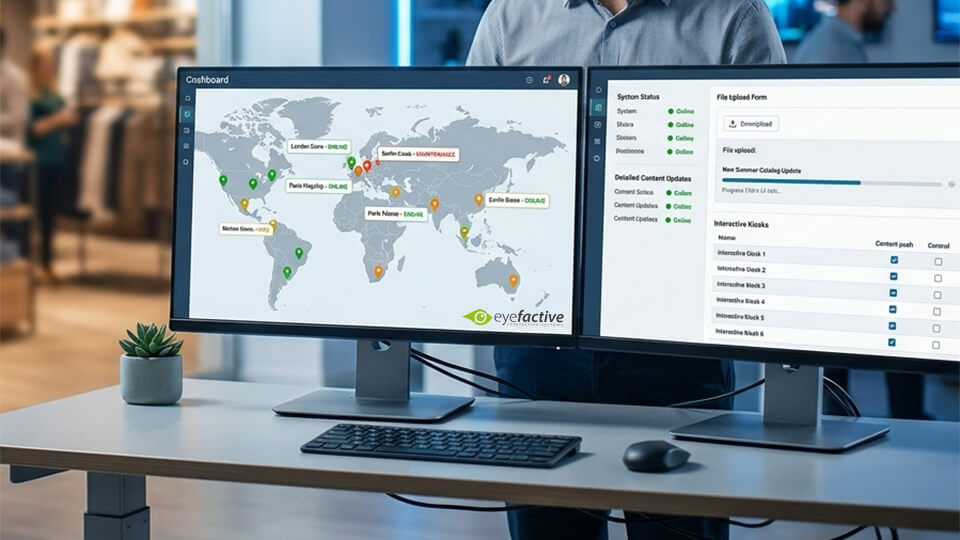
Three stores in, you understand that visiting each shop to update content through physical presence will not work. You need one place to see everything, fix everything, and move on. That is not a luxury — that is just basic operational sense.
5. Analytics

Touch data — which tracks what customers are tapping, browsing, and engaging with — serves as the in-store equivalent of click data on e-commerce websites. The system shows which elements succeed, where users bypass certain features, and reveals areas needing enhancement.
According to Wavetec, McDonald's reported a 30% rise in average order value after introducing self-order kiosks, but results like that do not come from deploying hardware alone. They come from continuously refining the experience based on real data[4].
What Is the Difference Between Web-Based and Native Kiosk Software?
Web-based kiosk software runs inside a browser and struggles under heavy retail use. Native Software runs at the operating system level, delivering better performance, stability, and multi-touch support in demanding store environments.
| Web-Based Software | Native Software | |
|---|---|---|
| Multi-touch support | Limited, typically single or dual touch | Full multi-touch and multi-user support |
| Performance | Constrained by browser resources | Direct access to CPU and GPU |
| High-resolution content | Can struggle with large formats | Handles high-res and video wall formats natively |
| Offline reliability | Dependent on internet connection | Runs on-premise without internet |
| Crash resistance | More vulnerable under heavy load | More stable under continuous, heavy use |
| Customisation depth | Limited by browser capabilities | Deep hardware and sensor integration |
Retailers often face challenges with web-based software. The system demonstrates high performance during demonstrations yet fails to function correctly in a retail environment that requires multiple users to operate under bright lights throughout the day. Native software eliminates that gap entirely, because it is built to handle exactly those conditions from the ground up.
5 Questions to Ask Before Choosing an Interactive Kiosk Software
Vendor websites all tell the same story. The real picture emerges when you ask direct questions and hold providers to specific answers.
What Does a Successful Kiosk Software Implementation Look Like?
A successful kiosk software implementation starts with a small, focused pilot and scales only once real-world performance has been validated.
FAQ: Interactive Kiosk Software for Retail
Interactive kiosk software powers self-service terminals in retail stores, restaurants, and public spaces. It controls what appears on screen, how customers interact with it through touch, and how content is managed and updated remotely.
Digital signage software displays content passively, with no customer interaction. Interactive kiosk software enables two-way touch-based engagement, allowing customers to browse, order, and transact independently.
The five most important criteria are multi-touch performance, ease of content management, hardware compatibility, remote cloud management, and customer analytics. The software needs to support multiple simultaneous users, allow non-technical employees to update content, and provide visibility into customer engagement across all locations.
Web-based kiosk software runs inside a browser and can struggle with performance under heavy use. Native kiosk software runs directly at the operating system level, delivering smoother touch responses, better handling of high-resolution content, and greater stability in high-traffic retail environments.
Yes, provided the software supports on-premise operation. Platforms that run locally on the device continue to function normally even when the internet connection drops, unlike cloud-dependent solutions, which display a blank screen.
Platforms built around ready-to-use, configurable apps can have a working pilot up and running within days. Custom-developed software typically takes weeks or months to develop. A pilot-first approach, starting with one location and one use case, delivers the fastest and lowest-risk results.
Retailers consistently report improvements in revenue, efficiency, and customer satisfaction. McDonald's saw a 30% rise in average order value after introducing self-order kiosks, while retailers using digital signage report up to a 33% increase in additional sales.